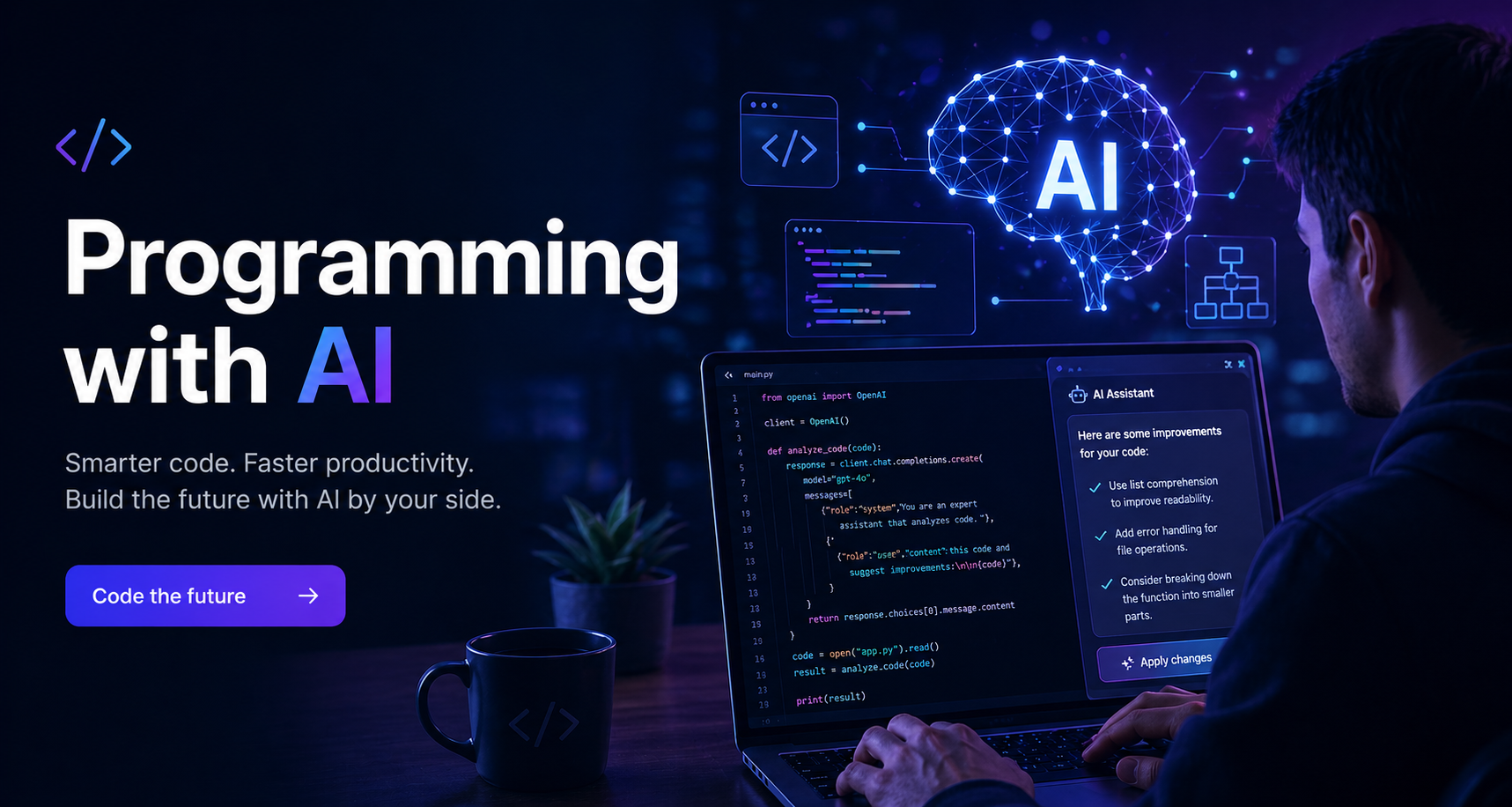
I've been building this blog over the past few weeks in a way I'd describe as vibe coding: starting from a rough idea, using an AI assistant heavily, and letting the feature list grow organically rather than designing everything up front. I want to write down how that process actually worked, because it's different from both "I planned it all out" and "I just vibed with no structure."
What vibe coding is (and isn't)
The term gets thrown around loosely. For me it means: you have a goal and a general aesthetic sense of where you want to end up, you use AI to move fast, and you make decisions in the moment rather than in advance. It is not the same as having no process. If anything, I ended up with more supporting documentation than I would have produced on a traditionally-planned project — because when you're moving fast, you need anchors.
The Tech stack: Pelican
The stack is Pelican, a Python static site generator. Content in Markdown, builds to static HTML, served anywhere. I chose it because I wanted full control over the theme with zero JavaScript framework overhead, and because I write Python and it felt natural. Dependencies are managed with uv, which is fast and reproducible.
The initial commit was just Pelican boilerplate with a custom theme skeleton — base.html, a single style.css, and a dev config (pelicanconf.py) vs production config (publishconf.py). That split — dev config vs prod config — proved important: dev has no minification, no image conversion, no feed URLs. Production runs the full pipeline.
CLAUDE.md: the AI context file
First things first. The CLAUDE.md plays an important role as it lays down the vibe coding process and thought cycle. First I added to the file the general instructions I always like to add to reduce clutter and token usage. It also contains all the instructions for Claude Code: what Pelican is, the dev commands, the theme architecture, the custom metadata fields. Every new conversation starts cold — the AI doesn't remember the previous session — so this file provides the context that makes each session productive from the first message. How to execute the plan and how to implement an idea.
Note
Keep CLAUDE.md short and concise.
This is my general setting for every claude development project I've worked on so far:
Direct and casual tone.
No bullet points unless I ask for.
Never use filler words like "certainly", "absolutely", "great question" or "I'd be happy to".
Read existing files before writing. Don't re-read unless changed.
Thorough in reasoning, concise in output.
No sycophantic openers or closing fluff.
No emojis or em-dashes.
Do not guess APIs, versions, flags, commit SHAs, or package names. Verify by reading code or docs before asserting.
Writing and maintaining CLAUDE.md is a meta-discipline of vibe coding: you're not just building the product, you're maintaining the context layer that makes the AI useful.
When a new convention emerges, it goes in CLAUDE.md. When a command changes, it gets updated.
IDEAS.md: the living backlog
Early on I created IDEAS.md. Not a roadmap, not a spec — just a flat list of things I thought the blog should eventually do. The format was simple: unchecked items are pending, checked items are done.
- [x] Reading time — show "3 min read" on each article
- [x] Table of contents — auto-generated from ## headings
- [x] Related posts — At the end of a blog post show 2-3 posts from the same category.
I didn't write the ideas myself but just asked the model what the must-haves and good ideas to implement were. When an idea caught my eye I asked the model to add it to IDEAS.md.
What I didn't expect was how useful the structure would become as the project grew. After the first wave of features landed, I moved ideas into sub-groups (content/UX, navigation, SEO, performance, accessibility, tooling) and add new ones. The file became a real backlog.
At any point I could open IDEAS.md and know exactly where things stood. The unchecked items at the bottom are still there: comments, a newsletter, og:image generation at build time, etc. They didn't get dropped; they just haven't been prioritized yet.
One thing worth noting: the ideas file captured why items existed, not just what they were. That's because when I come back to it cold, I remember the design intent.
It's also kind of surprising how the AI model will sometimes propose to join some ideas together because the changes are connected. Without the ideas file this would not have been possible.
README.md: the operations manual
As features accumulated, I needed somewhere to write down how to actually use the blog as an author. Not for readers — for me, six months from now, when I've forgotten which metadata field enables KaTeX or what the Image: field expects.
README.md is that document. It covers everything I need to know and works as a knowledge base for me, but also for the ai model.
- Article metadata: both standard Pelican fields and custom fields the theme adds (
Image,JustifyContent,Math, etc.) - The draft workflow:
Status: draftkeeps a post out of all indexes. - Every Markdown feature: footnotes, callouts/admonitions, LaTeX, tables, blockquotes
- Image handling: how to add captions, how floats work, what the WebP pipeline does automatically
- Etc.
Writing this as I built things meant I was documenting the design decisions while they were fresh.
For example, "The hero image is loading=eager because it's above the fold; everything else is lazy" is something I'd forget in a week. Now it's in the README.
DEPLOY.md: planning the future
DEPLOY.md is a bit different from the others.
It first contained a field study of the different platforms I could deploy the project on. It also elaborates on costs, free tiers and etc. I've also added the exact build commands, a pre-deployment checklist, and a content workflow diagram.
Writing deployment docs before actually deploying is a vibe coding habit I've developed: when the AI helps you move fast, it's easy to defer operational concerns until they're urgent. A DEPLOY.md written speculatively forces you to think through the questions — what Python version, what environment variables — while the context is still fresh.
The commit history: feature by feature
I added git to the project so I could commit every block of code and roll back if necessary.
Each commit is roughly one feature cluster. I didn't do tiny atomic commits or one-commit-per-file; I also didn't do giant "big bang" commits. A commit happened when something worked end-to-end and I'd tested it in the browser. That cadence came naturally from the vibe coding loop: ask for a feature, test it, occasionally ask for fixes, ship it when it feels right.
Setting GitHub as remote would also help me deploy to production in the future.
The process of implementing an idea
It's time to put down the whole cycle.
- Select an idea and tell the model to implement it. Add any additional concerns or details.
-
The model will think about it and implement the following plan:
- The model explains the proposed changes and how it will affect the project.
- The model waits for any user question and asks for confirmation to proceed.
- The model will write down a sample post as requested in Claude.md about the features implemented so I can test them.
- The model will write down the appropriate info into README.MD
- The model will mark the idea as done on IDEAS.MD
- The model will commit with an AI generated commit message
I did not produce a single line of code. Not a single edit. This repeatable cycle is what I would call vibe-coding at its best.
I'm so proud of this that I have set an image:
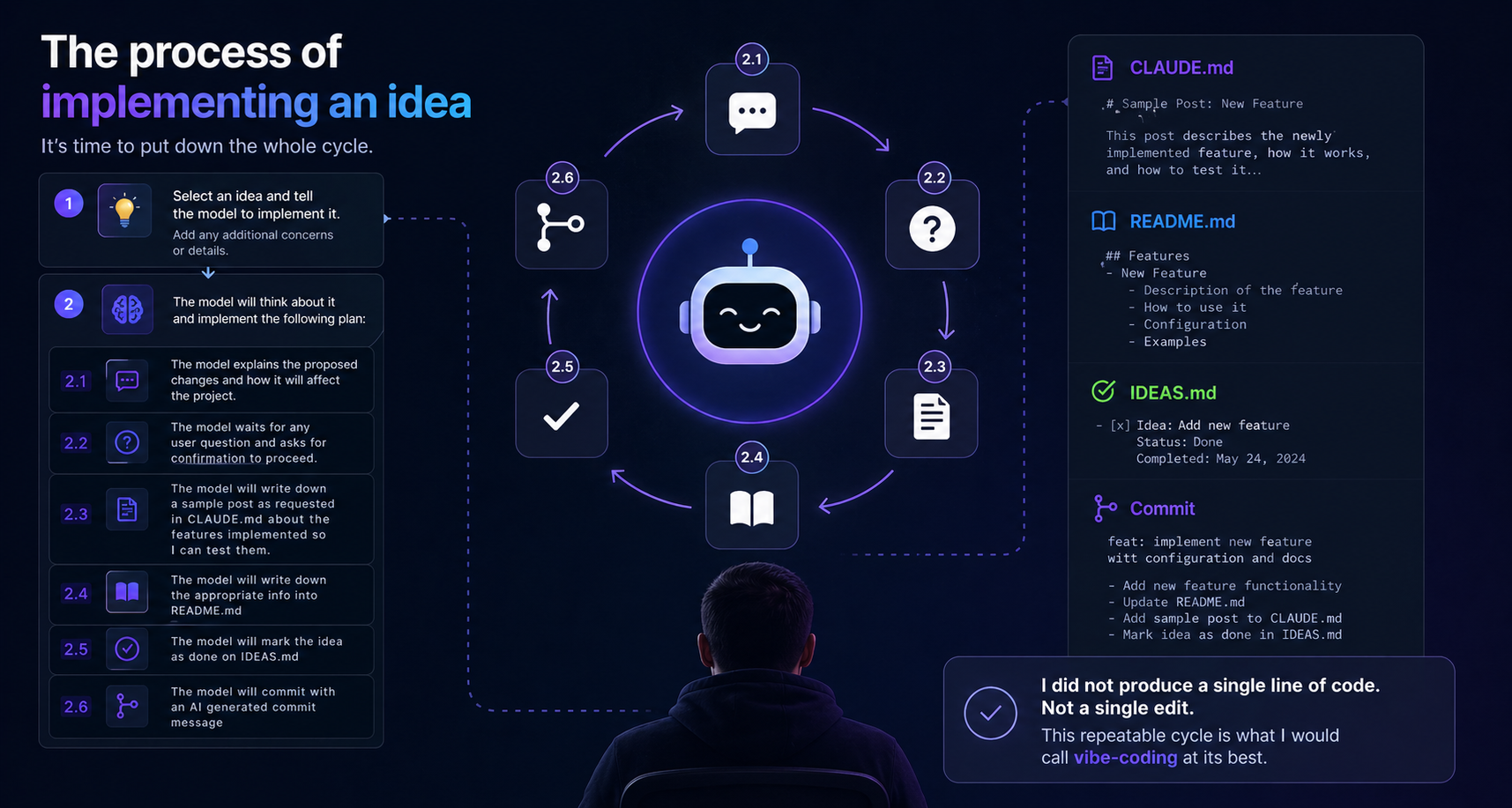
A clear example of getting and idea done
Take the 404 page for example. The idea was:
- [x] add a cool and techy 404 page with awesome animations
The kick was "I would like to implement the idea for a '404 page'". ... Done.
No edits, done in one go.
What vibe coding produced
The blog has more features than I would have built "by hand" in the same time. Not because the AI wrote everything — I reviewed and tested everything — but because the iteration loop is faster. "Add a reading progress bar" goes from idea to working implementation to tested in one session instead of one weekend. The bottleneck shifts from building to deciding what to build next.
The tradeoff is that the codebase has some inconsistencies you'd iron out in a more deliberate project. Some CSS classes are named differently than I'd have named them if I'd designed the whole stylesheet at once. A few plugin files do things that could be merged. That's fine — the product works, the code is readable, and the inconsistencies can be cleaned up incrementally.
The support files — IDEAS.md, README.md, DEPLOY.md, CLAUDE.md — are what turned vibe coding from a chaotic process into a sustainable one. They're the anchors. Without them, you end up with a blog that works today and is unmaintainable tomorrow.
Success
The blog is called NotNewNotOld_ and this post is the first one that's explicitly about the process of building it. There's something slightly recursive about that. The feature list still has unchecked items. More posts are coming.